Skip to content
An interactive globe shows illustrative calls from Sippet to destinations around the world. It opens at 100 percent on larger screens and 240 percent on mobile, centered on the call hub in Europe. Every call is fictional; no real calls are placed and no customer data is shown. Outcome totals follow this demonstration.

Drag to spin the globe and pinch to zoom. Double-tap or double-click to zoom in. Two-finger trackpad swipes scroll the page. On a touchscreen, move two fingers together to rotate and tilt the globe, or pinch to zoom. One-finger vertical swipes scroll the page. Lift both fingers before starting a new gesture. Control or Command with scrolling over the globe also zooms. With the globe focused, arrow keys rotate and plus or minus zoom between 85 and 300 percent. Home restores the opening view.
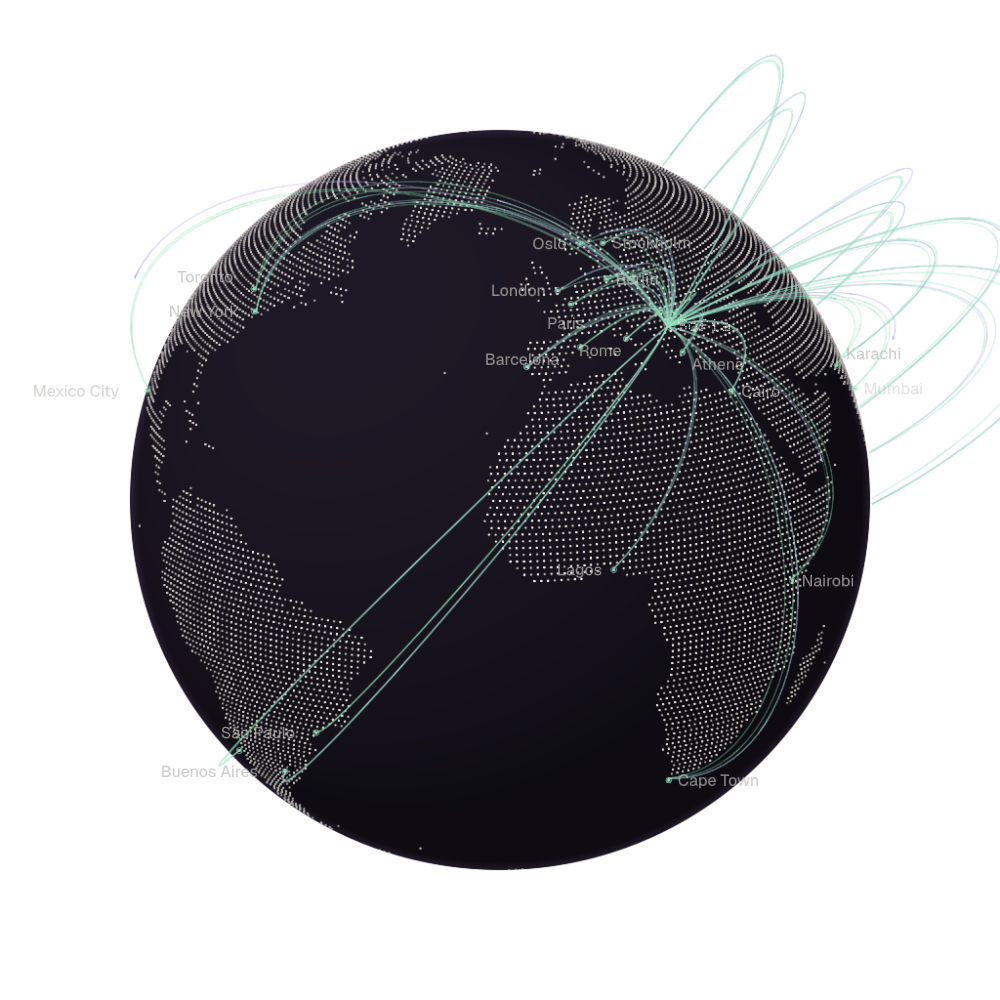
  1. Answered 700
  2. Voicemail 192
  3. Declined 38
  4. No answer 21

Globe illustration.

Launch massive telephone campaigns
Reach thousands of customers

Reach up-to 10,000 customers each day by using our voice agents and infrastructure to mass call your customers

Calls made in one hour

A comparison on the same zero-to-500 scale: a human operator makes 6–8 calls per hour; Sippet AI makes 450 calls per hour.

Human operator

8 calls / hour

Sippet AI

450 calls / hour

Let our classification engine give you the high level picture

Sippet AI brings together Phone, Emails, SMS/RCS, WhatsApp and API. The API channel uses a dotted </> symbol. Messages flow through Sippet AI and are classified as General Information, Billing Inquiries, Common Questions or Order Statuses. Each completed arrival updates its category total. A channel icon appears once within each category and responds when another message from that channel arrives. Hover, focus or tap a classification icon or heading to learn what it includes. The animation uses illustrative traffic and sends no real messages.

Sippet AI channel classification illustration.

Your traditional IVR system, upgraded

Replace your static IVR system with natural conversation that works with multiple languages

Incoming calls reach your business and are routed to AI agents or a human. A UK flag followed by a French flag represents callers in different languages. One AI agent checks the customer record and order details to answer a caller. A second agent speaks French and transfers a request to a human operator. Hover, focus or tap an object to learn more. This is an illustrative animation; no real calls are placed.
  1. Incoming calls

    Receive incoming calls to your existing number or use one of ours

  2. Your business

    You define the rules for your business and how you want each call to be handled

  3. Customer Support AI

    Set the voice, tone and which tools your voice agent has access to.

  4. Customer record

    Find the caller’s customer record to understand the request using either your external CRM or our in-house one

  5. Order lookup

    Look up orders in your existing system, whether that's Shopify or another 3rd-party service, you have the ability set how it finds the correct information

  6. Customer Support AI

    Our voice agents can speak your customers’ languages. Multiple languages are supported.

  7. Human Operator

    Use our queue system with holding music or let your voice agent transfer the call to your personal number

Call flow illustration.

You're in control

Decide what type of verification you require for your incoming or outgoing calls

  • Phone: +44 7700 900146
  • Contact: Laura Smith
  • Email: laura@example.com
  • Metadata: Order: SIP-1048
  • Verification: first_name, last_name
An illustrative call shows a caller asking about an order, represented by a stationary generic dotted portrait. On desktop, a forward-facing verification shield on a matching purple base appears beneath User info, above the customer details box. On mobile, the customer details follow the User info heading directly, with paired dotted routes connecting the verify_name tool call to the record. The AI asks for her first and last name, and she answers Laura Smith. Fictional customer and order details are visible to the viewer from the start, dimmed beside an eye-off and small closed padlock. The icons and caption share the metadata's dimmed appearance until access is unlocked. The caption reads Hidden to the AI while the details remain outside the AI's context and verify_name checks both first and last names. Both must match before it returns true; the eye's slash fades, the small padlock opens and the details brighten as the AI gains access. The caption changes to Verification passed, then Available to Sippet AI. The AI says, “Yes, I see your order, it will be delivered tomorrow at 10:15 am.” The caller replies, “Okay, thank you”. The record's latest update reads “Tomorrow, 10:15 am”. All names, order details and the call are fictional. This demonstration makes no API requests, accesses no real customer data and places no calls.

Illustrative verification story.

Talk to a Sippet
Specialist

  • Tell us about your business and the calls you want to automate.

  • Work with our team to build a voice agent tailored to your business.

  • Launch your campaign with confidence and watch your agent make calls in real time.

You can also email us at sales@sippet.ai